New Student Info
Microsoft Office Download & Install
You can download and install Microsoft Office on your personal computer. Here's how.
Log into your Student Email
If you haven't logged into email before, please read About Student Email
Click on App Launcher (the waffle icon) in the upper left of the Outlook page
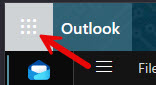
Click on Office just to the right of the launcher button

On the right side of the webpage select Install Office, Office 365 apps
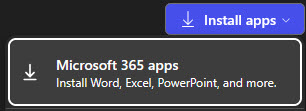
Read and follow the prompts from there.